
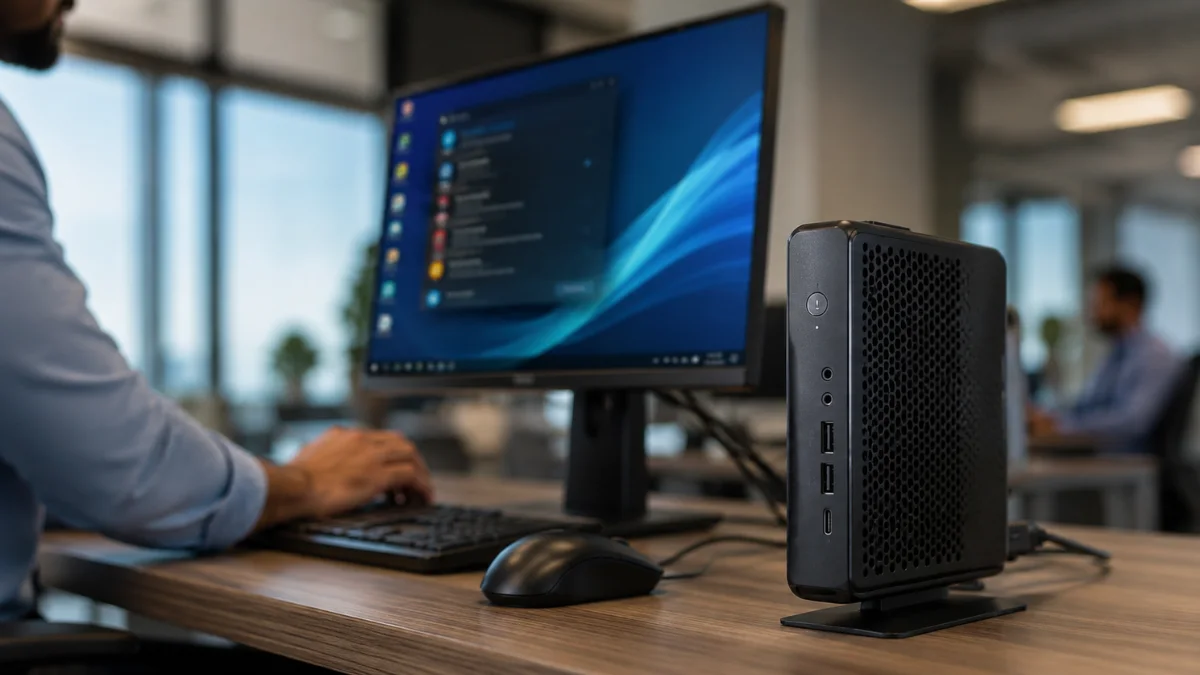

A thin client is a lightweight computer designed mainly to connect users to applications, files or a desktop running on central servers. It often needs less local storage and processing power because the remote infrastructure handles much of the demanding work.
The device still contains real computer hardware. It normally has a processor, memory, storage, network components, display connections and a lightweight operating system or specialised firmware.
The word “thin” does not describe the physical size of the device. It describes its limited local computing role compared with a conventional desktop or laptop.
What Is a Thin Client?
A thin client is an endpoint device that depends heavily on computing resources located somewhere else.
It may connect to a company server, cloud platform, remotely hosted application or a virtual desktop running on a remote server.
A dedicated thin client often looks like a small desktop computer. Users connect it to a monitor, keyboard, mouse, network and any approved accessories.
After signing in, the user may see a complete work desktop with applications, folders, settings and documents. The experience can resemble using a normal computer, even though many applications and files remain on central infrastructure.
A business can also configure an ordinary laptop or desktop to behave like a thin client. Special software may restrict the device to approved remote services and centrally managed applications.
However, dedicated thin-client hardware remains the clearest example because manufacturers design it specifically for this role.
Why Does a Thin Client Need Less Local Storage?
A thin client often needs less storage because it does not keep every application, user profile and document on the device.
A conventional computer may store:
- A complete operating system
- Large applications
- Personal documents
- Downloaded media
- User accounts and settings
- Temporary files
- Software updates
- Local backups
A thin client usually stores only the components it needs to start, connect to the network, authenticate the user, display the remote environment and support permitted local features.
Its local storage may contain:
- A lightweight operating system
- Remote-access software
- Device drivers
- Security certificates
- Network settings
- Configuration files
- Temporary cache data
- Selected local applications
The user’s main files may remain on company servers, virtual drives, cloud storage or other centrally managed systems.
This design can reduce the amount of storage required inside the endpoint. It may also reduce the amount of sensitive business data left on the device if someone loses or steals it.
However, not every modern thin client has extremely limited storage.
Some models support web browsers, meeting applications, local security tools, multiple connection platforms, and regular software updates. These functions may require more storage than older thin clients used.
A device qualifies as a thin client because of its dependence on centrally delivered computing resources, not because it must stay below a particular storage capacity.
What Hardware Does a Thin Client Have?
A thin client contains many of the same basic components as a regular computer.
It normally includes:
- A processor
- RAM
- Local storage or embedded flash memory
- Wired or wireless networking
- Display outputs
- USB ports
- Audio connections
- Firmware or an operating system
The hardware may be less powerful than a standard workplace computer because the device does not need to perform every task locally.
The processor starts the system, runs the local software, maintains the connection, decodes the remote display and manages keyboard and mouse input.
RAM allows the thin client to run its operating environment, connection software, display processes and permitted local applications.
The device may also handle webcams, microphones, headsets, printers, card readers and multiple monitors. These functions still require capable local hardware even when the main application runs remotely.
A thin client is therefore not an empty terminal. It performs a smaller but essential part of the total computing process.
What Runs Locally and What Runs on the Server?
The division between local and remote work depends on how the organisation configures the system.
The thin client usually handles:
- Starting the device
- Connecting to the network
- Authenticating the user
- Displaying the remote session
- Sending keyboard and mouse input
- Playing audio and video
- Managing approved accessories
- Running selected local software
The server or cloud environment may handle:
- The main operating system
- Business applications
- Large calculations
- User profiles
- File storage
- Application updates
- Central permissions
- Data backups
Consider an employee opening an accounting application.
The program may run on a server inside a data centre rather than on the device sitting on the desk. The server processes the financial information and stores the related files.
The thin client displays the application and sends the employee’s commands to the server.
Some organisations still run selected programs locally. A web browser, video-meeting application, media tool or security service may operate directly on the thin client to improve performance.
A thin client therefore does not always send every task to the server. Its operating model may combine local and remote processing.
How Does a Thin Client Connect to a Virtual Desktop?
A thin client connects through a company network, the internet or a secure combination of both.
When the device starts, it loads its local operating environment and connection software. The user then enters login details or completes another authentication step.
The system verifies the account and connects the user to an approved application or virtual desktop.
The process generally works like this:
- The user performs an action on the thin client.
- The device sends the input through the network.
- The remote system processes the request.
- The server returns updated visual or audio information.
- The thin client displays the result.
A stable connection can make the remote environment feel responsive.
A weak connection may cause delayed typing, blurry display updates, broken audio, frozen sessions or sudden disconnections.
Latency can matter as much as download speed. It measures how long information takes to travel between the thin client and the remote server.
A connection may offer high download speed but still feel slow when the server is far away or network delays remain high.
The detailed computer environment belongs to the virtual desktop system. The thin client acts as the physical access point through which the user controls and views it.
Can a Thin Client Work Without a Network?
A thin client normally needs a network connection to perform its main purpose.
A cloud-connected device usually requires internet access. A company-hosted thin client may connect through a private local network without using the public internet.
Without a connection, the device cannot reach the central applications, files or virtual desktop assigned to the user.
Some thin clients can still perform limited local tasks while offline. They may open settings, diagnostic tools, cached content or specially installed applications.
The available offline functions depend on the hardware, operating system and administrator settings.
A thin client should not be treated as a fully independent offline computer unless it has been specifically configured for local work.
This dependence creates an important limitation. A functioning endpoint may become temporarily unusable when the network, server, authentication system or cloud service fails.
How Is a Thin Client Different From a Normal Computer?
A thin client is a real computer, but manufacturers design it for a more dependent and centrally managed role.
A normal desktop or laptop usually stores its main applications and files locally. It performs most processing through its own hardware and can often complete many tasks without a network connection.
A thin client relies more heavily on servers or cloud infrastructure.
The following differences describe typical deployments, although individual devices and configurations vary.
| Feature | Thin client | Normal computer |
|---|---|---|
| Main applications | Often run remotely | Usually run locally |
| File storage | Often centralised | Commonly stored locally |
| Processing | Shared between device and server | Mostly handled locally |
| Network dependence | Usually high | Depends on the task |
| Offline use | Often limited | Usually more capable |
| User control | Commonly restricted | Usually broader |
| Management | Often centralised | May be managed individually |
The boundary is becoming less obvious because modern computers also rely heavily on cloud storage, browser applications, online accounts and remote services.
Some modern thin clients have capable processors, substantial memory, several display outputs and local applications.
The main difference is the intended computing model. A thin client exists primarily to access centrally delivered resources rather than operate as a completely independent personal computer.
What Is the Difference Between a Thin Client and a Zero Client?
A thin client usually has a lightweight operating system and enough local storage to run connection software, receive updates and support selected features.
A zero client normally relies on specialised embedded firmware rather than a flexible general-purpose operating system.
It is commonly designed for a narrower remote-access platform and provides fewer local functions than a thin client.
A zero client still contains hardware. It needs a processor, memory, networking, firmware and display capabilities to start, authenticate users, communicate with servers, and manage input.
The word “zero” does not mean the device contains no local technology.
The practical distinction is that thin clients usually offer more software flexibility, while zero clients focus more narrowly on connecting to a specific remote environment.
Manufacturers sometimes use these terms differently, so the exact capabilities of a product matter more than its label.
Why Do Organisations Use Thin Clients?
Organisations use thin clients when they want to manage applications, data and user access from a central location.
Instead of installing and maintaining every business application separately on each workstation, an IT team can manage much of the environment through central infrastructure.
Thin clients may help organisations:
- Provide standardised work environments
- Limit local data storage
- Support shared or temporary workstations
- Apply configuration changes centrally
- Replace damaged endpoints more quickly
- Restrict unauthorised software installation
- Give users access to specialised applications
- Manage large numbers of devices
A hospital may place thin clients at workstations where authorised staff access centrally managed records.
A school may use them in a computer laboratory so students can access the same applications and files from different desks.
A call centre may provide every worker with a controlled desktop without storing customer information on each endpoint.
Thin-client hardware may also require less maintenance than fully configured personal computers. However, the organisation must still pay for servers, cloud services, licences, storage, networking, security and technical support.
Are Thin Clients More Secure?
Thin clients can support stronger central control, but they are not automatically secure.
Keeping important files on managed servers may reduce the amount of sensitive information stored on individual endpoints.
Administrators can also restrict downloads, USB storage, printing, clipboard transfers, software installation and changes to system settings.
However, attackers may still target user passwords, unpatched software, server vulnerabilities, network connections and incorrect permissions.
A secure thin-client environment requires strong authentication, encryption, updates, monitoring, careful access controls, backups and responsible user behaviour.
What Are the Main Limitations of Thin Clients?
Thin clients work well for predictable and centrally managed tasks, but they do not suit every user.
Their main limitations include:
- Dependence on a reliable network
- Dependence on servers or cloud platforms
- Input delay when latency is high
- Limited offline capability
- Restrictions on local software
- Possible problems with specialised accessories
- Reduced performance for graphics-heavy work
- Central outages affecting many users
- Less personal control over the device
They can work well for email, data entry, customer service, office documents, education and standard business applications.
They may be less suitable for users who need demanding local software, reliable offline access, specialised hardware or full control over the computing environment.
A thin client needs less local storage because it does not try to behave like a completely independent computer. It handles the user’s immediate interaction, while central infrastructure provides much of the application processing, file storage, account management and system control.
FAQs and Answers
Does a thin client have a processor and RAM?
Yes. A thin client normally has a processor, RAM, local storage, networking hardware, display connections, and a lightweight operating system or specialised firmware.
Why does a thin client need less storage?
It often needs less storage because major applications, user files, and profiles remain on central servers or cloud platforms. The device mainly stores connection software, settings, drivers, and essential system files.
Does a thin client need an internet connection?
A cloud-connected thin client normally needs internet access. A company-hosted device may connect through a private local network without using the public internet.
